





- create a new file. i am using a flat black background with a 600 x 600 px resolution for the image. and i'm using a cropped image from my Oktoberfest pics.
- load your grunge brushes. if you only have the default brushes on your Photoshop, there's a lot of vector brushes found at deviantart.com. keyword is Grunge. in a new layer, play with the different brushes with black or white overlapping each print from the brushes.


- place your image on a new layer.
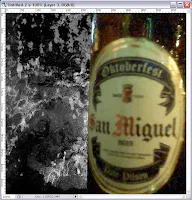
- with your image, now in place, duplicate it as many as you can and flatten them out. be sure to hide your original image after duplicating it.

- filter that layer using Filter >> Motion Blur >> (any setting). repeat the filter if you like.

- change the layer setting of the filtered layer from Normal to Overlay to blend it with the grunge background. unhide your image.

September 29, 2008
Photoshop Tutorial: Grungy Beer
another Photoshopping technique i've just learned. i used this technique to create a background for my Blogspot header.





.jpg)


 Posts
Posts


thanks for your tutorial... keep post...
ReplyDeletesure sure. thanks for visiting. care to trade links?
ReplyDelete